Welcome to your Stylish Smart Studio! 🌟✨
We're thrilled to host you and aim for your check-in to be seamless and your stay absolutely delightful! Below are all the essential details to ensure you feel right at home:
🔑 Easy Access:
- 📦 Lock Box: Located on the side of the building, opposite the gates. Enter the code 7036 to access the keys.
- 🚪 Condominium Main Entrance: Once you have the keys, use the black key to unlock the main door on the 2nd floor, on the right (second from the last).
🏡 Entering Your Studio:
- 🔐 Lobby Access: Use the code 4654 to enter the main lobby door.
- 🚪 Studio Door on the Left: Once inside the lobby, the left door has the code 4655.
- 🛏 Additional Studio Door Upstairs: The door upstairs uses the code 4656.
💡 Smart Home Features:
- 🌐 WiFi: Connect to
peacefulness5, Password: InPuertoRico5
- 📲 Home Assistant App: Effortlessly control lights, TV, A/C, locks, and more! Access the app directly via this link (username:
studiohome, Password: Welcometopuertorico45) or download the Home Assistant App from the App stores.
- 🗣 Voice Commands: Use Alexa for intuitive commands like "turn on lights," "set wall to blue," and manage your entertainment or reminders. In-wall tablets also control these features.
- 🚰 Touchless Faucet: Enjoy the convenience of our touchless faucet in the kitchen for hygiene and ease.
🚶♂️ Safety and Comfort:
- ⚠️ Navigational Care: Please watch your head when descending stairs and be cautious on the bathroom floor as it can be slippery.
- 🪟 Blinds: Gently adjust the pull-down blinds with both hands. Very important: do not allow the blinds to go all the way up as that may break them. Always keep full control with both hands and never let go until you have locked the blinds a few inches from the top.
- 💨 Ventilation: Although windows don't open, enjoy the fresh air continuously circulated by the sophisticated ventilation system.
🛁 Towel Policy – Keeping It Fresh & Fair! 🏖️
✅ You have 2 bath towels 🛁 & 2 beach towels 🏖️ ready for you to enjoy!
🚪 Extra towels (in the closet) are reserved for future guests – they’re not part of the current setup.
💰 If you need more towels (bath or beach), no worries! There’s a $10 fee per additional towel. This helps cover the extra laundry time and ensures we have enough for all our awesome guests!
🏝️ Beach lovers, take note! One of the most beautiful beaches is just 9 minutes away! 🌊✨ Enjoy every bit of it! Just a small favor—before heading back inside, give your towels (and your feet!) a good shake to leave the sand where it belongs. No one likes a surprise beach in the hallway! 😆🏠
Thanks for keeping things fresh and comfy for everyone—enjoy your stay! 🌴☀️
🌴 Explore and Transport:
- 🏖 Beach: Just a 9-minute walk to the beach for some sun and relaxation.
- 🌆 Calle Loíza: Explore vibrant dining and local culture just two blocks away.
- 🛴 Scooter Apps: For quick trips, download the Bird scooter app at Google Play or Apple Store.
📞 Need Help?
For any assistance or questions during your stay, feel free to contact Alberto directly at 520 247-4552.
🏠 House Rules:
- 🔇 Quiet Hours: Please be considerate of your neighbors; no noise between 9 PM and 7 AM.
- 🚭 No Smoking: Smoking or vaping is not allowed inside the studio. Please use the hallway or downstairs for smoking.
- 🚮 Keep Clean: The outside hallway is a shared space. Do not hang towels outside or leave garbage in the public areas. Dispose of garbage in the dumpster located at the corner of the building.
We're excited to welcome you and ensure your stay is comfortable and memorable. Enjoy your chic retreat and all the smart features at your fingertips! 🌺🌟
Pictures to Guide you through how to enter Studio
Follow the steps below to easily access your Airbnb Studio
Step 1: Locate the Lockbox on side of building
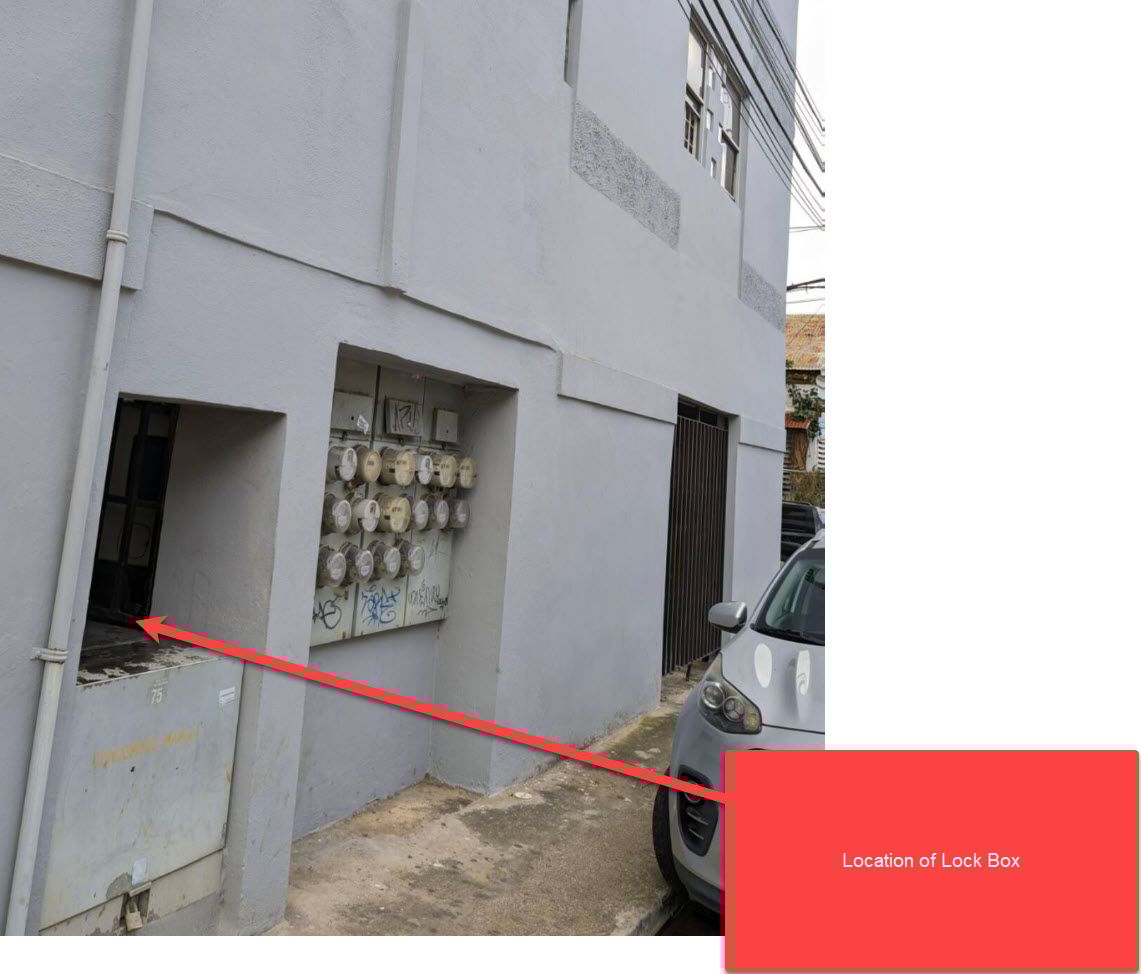
The lockbox is located on the side of the building.
Step 2: Open the Lockbox
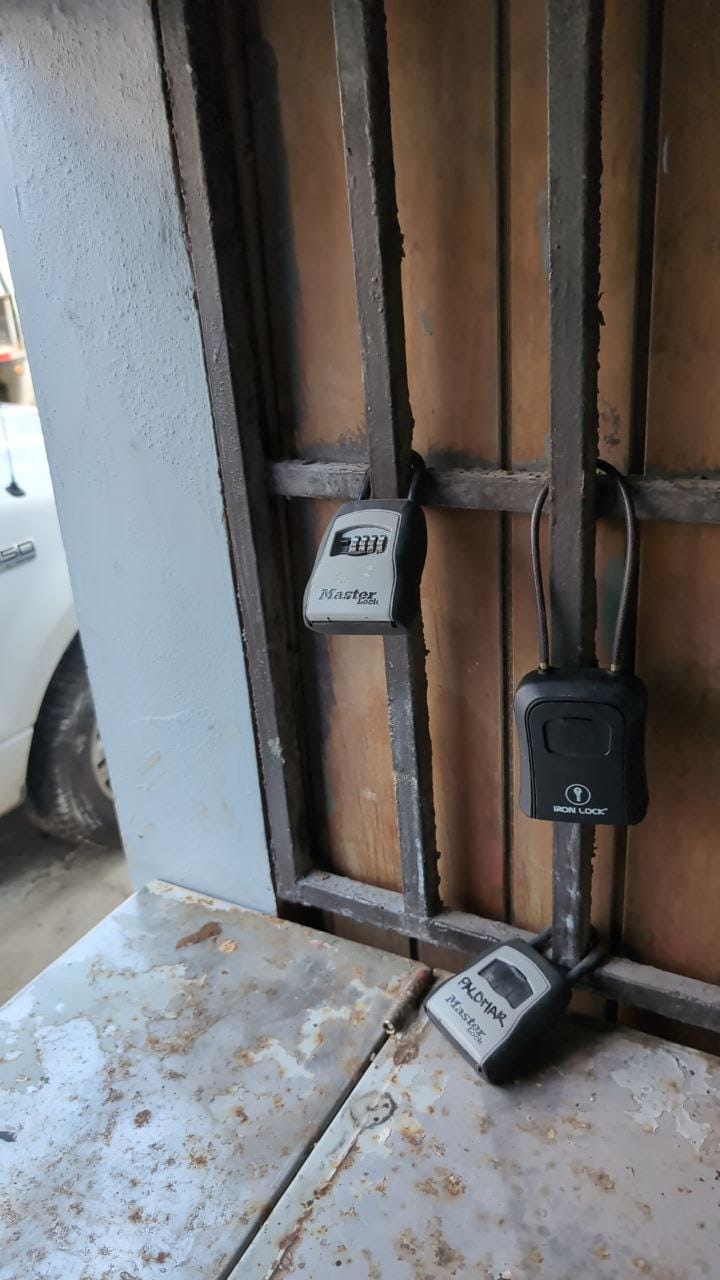
The lockbox is the middle black lockbox - use the code 7036 and remove the keys. Remember to close the lockbox again and scramble the code
The large black key is the main gate key. The other keys are to open the Studio, but it is easier to use the Home Assistant App - see the link - id and pass for the app on the instructions provided.
Step 3: Open Main Gate
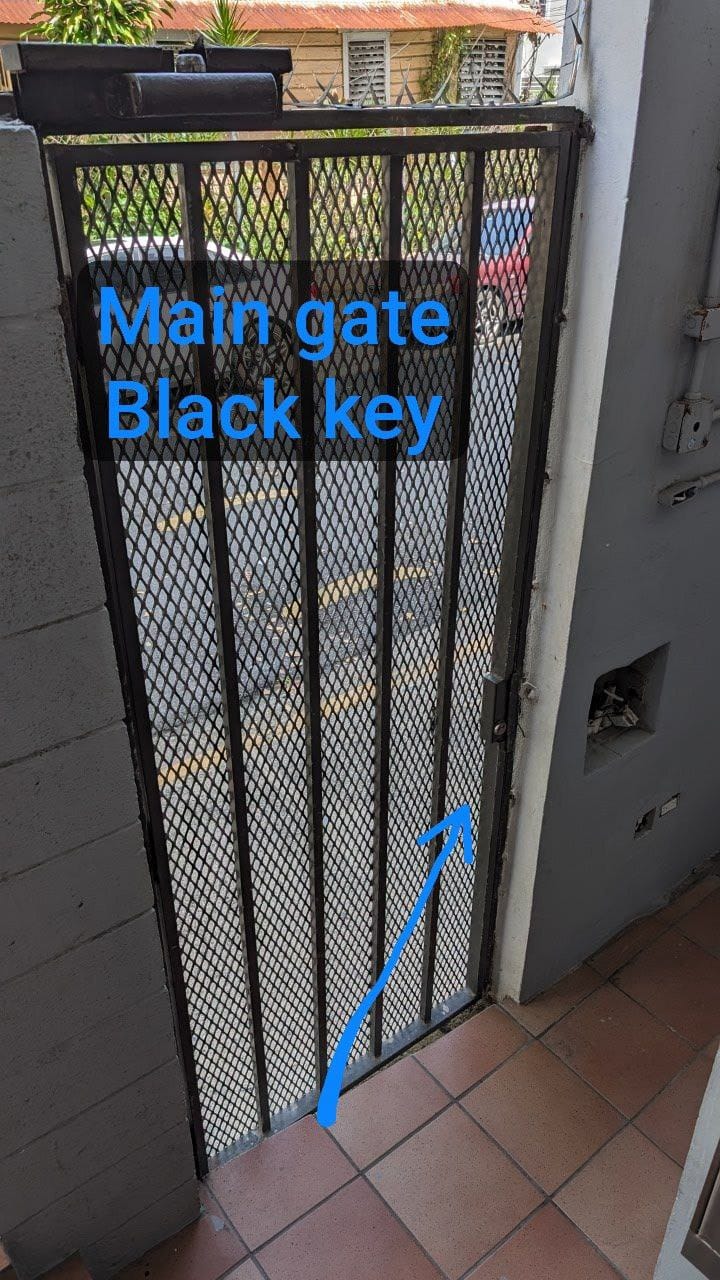
Open the main gate with Black key
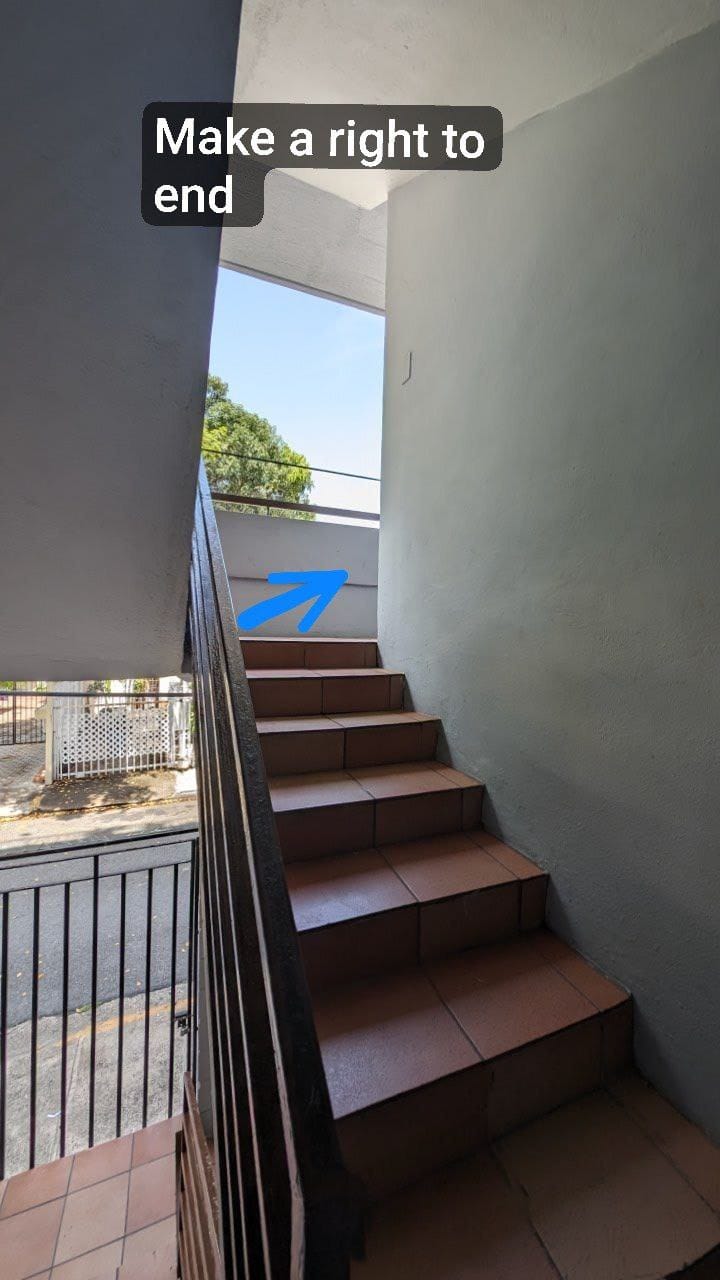
Step 4: Go up the Stairs

Go up the only stairs (in between both gates) and go up to to the first floor.
Step 5: Make a right and go to end of hallway
Use the key from the lockbox to open the door. Welcome to your Airbnb!
Step 6: Go to end of Hallway
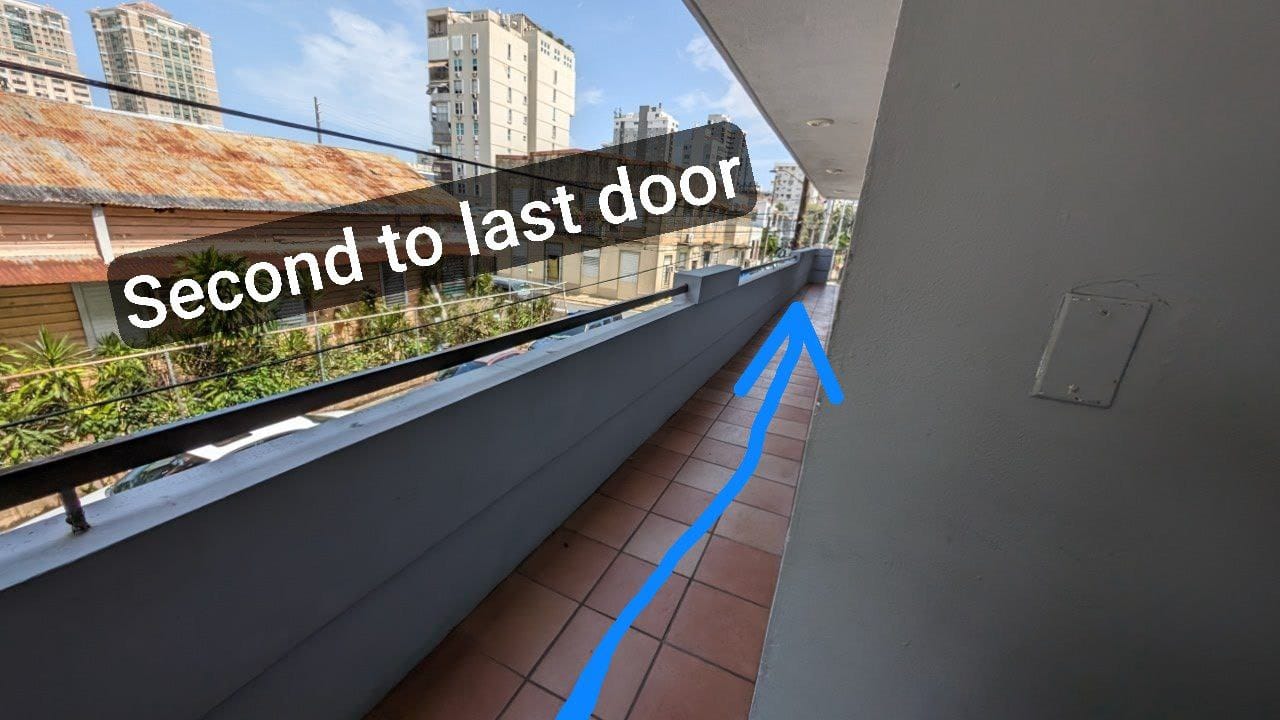
Go to end of Hallway - Second to last door
Step 7: Open Main Door
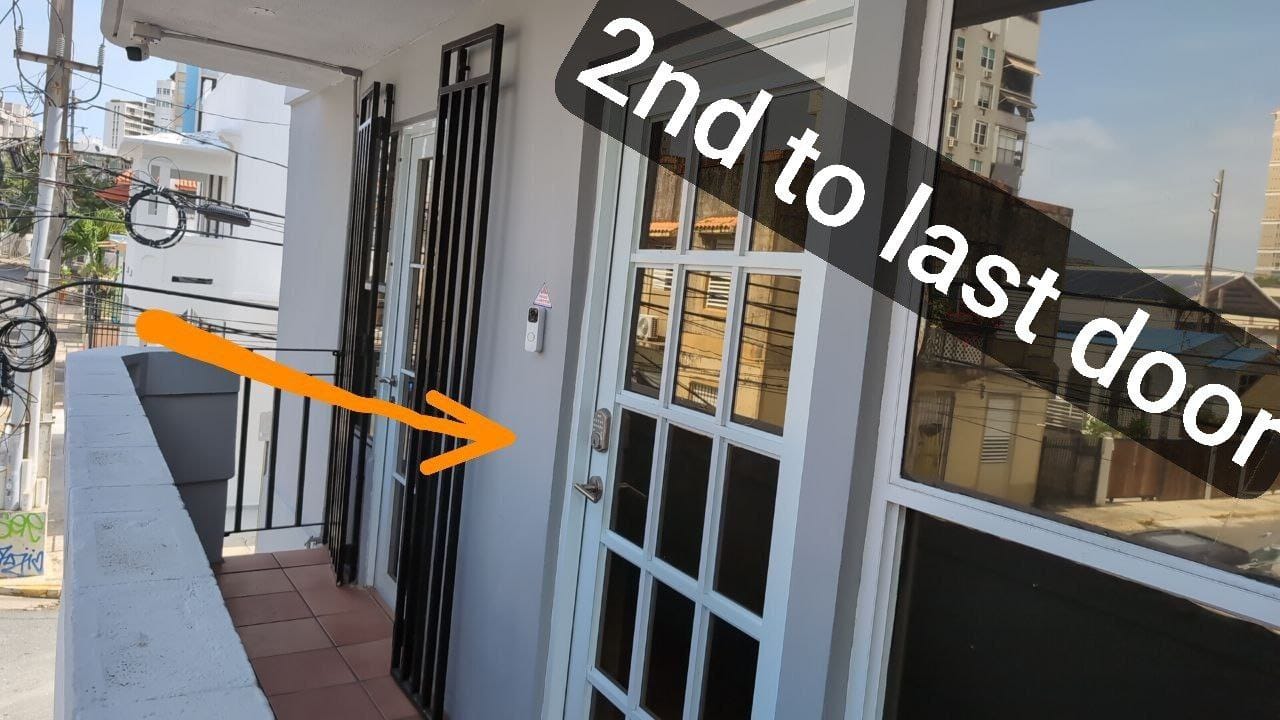
Use the key from the lockbox to open the door. Or better yet, use the App to open it from your phone!
Step 8: Open the Studio door on left side
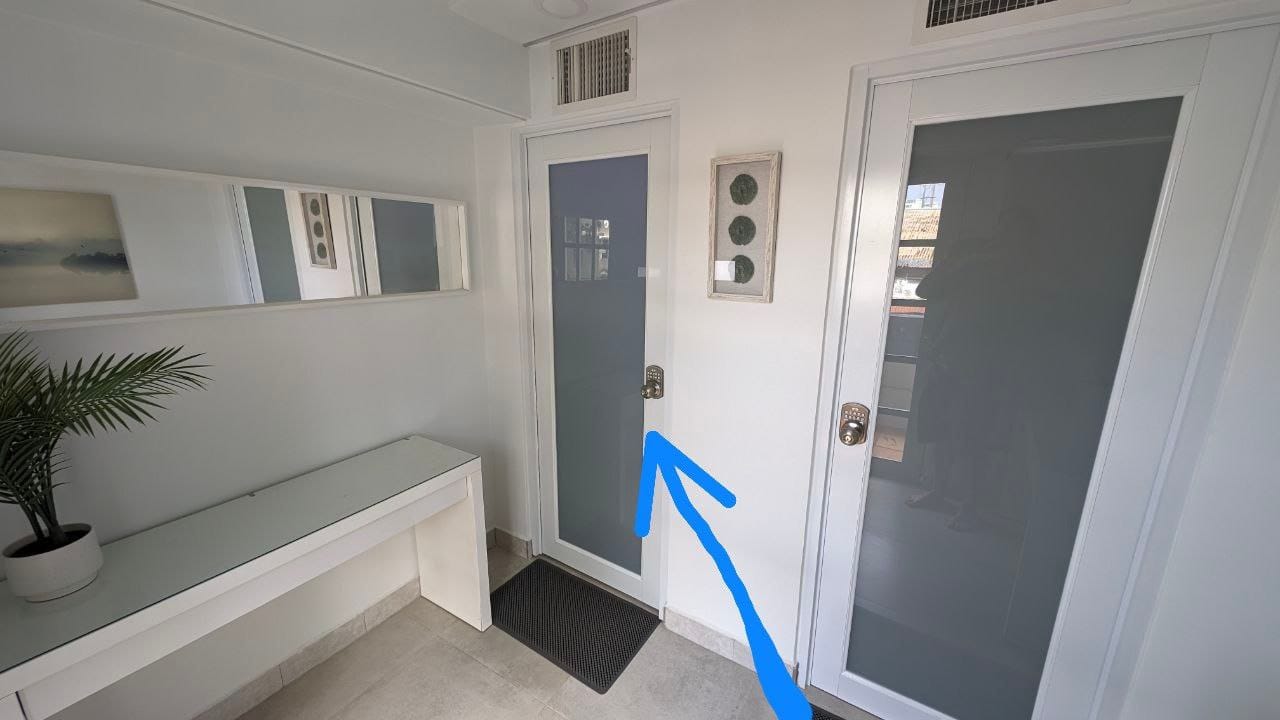
Use the key from the lockbox to open the door. Or better yet, use the App to open it from your phone!
Step 9: Go up stairs and open the Studio Upstairs Lock
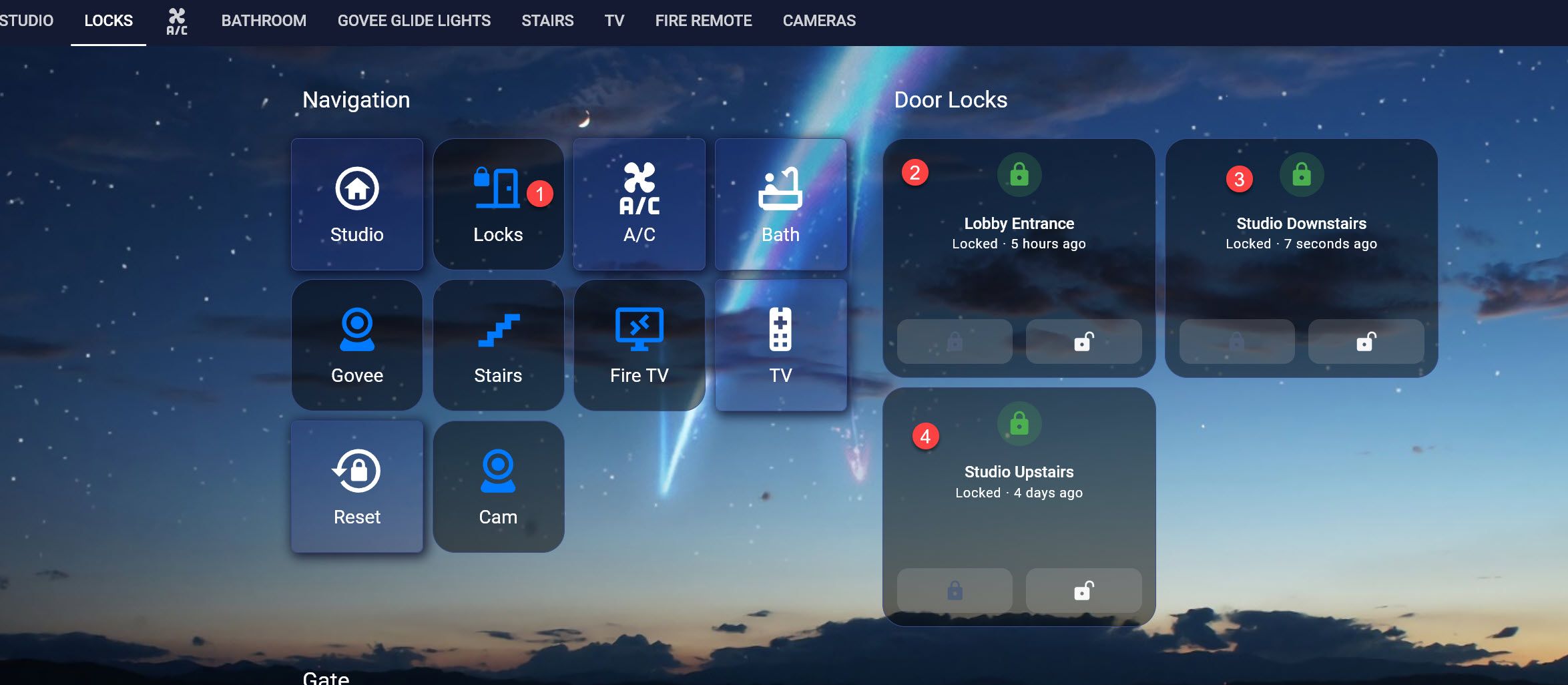
Go up stairs and open the Studio Upstairs Lock. Use App to easy opening!
Turn on Faucet with hand motion
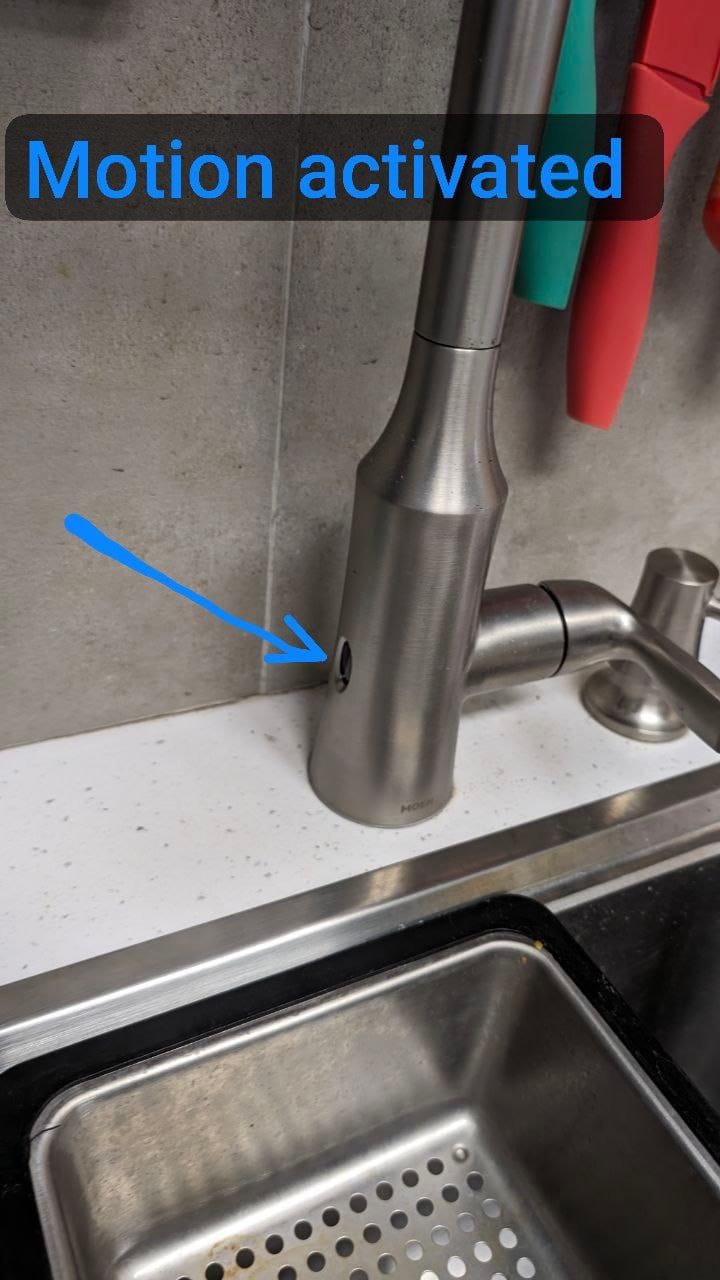
Wave your hand to turn on/off the faucet
Watch pressure of Bidet!
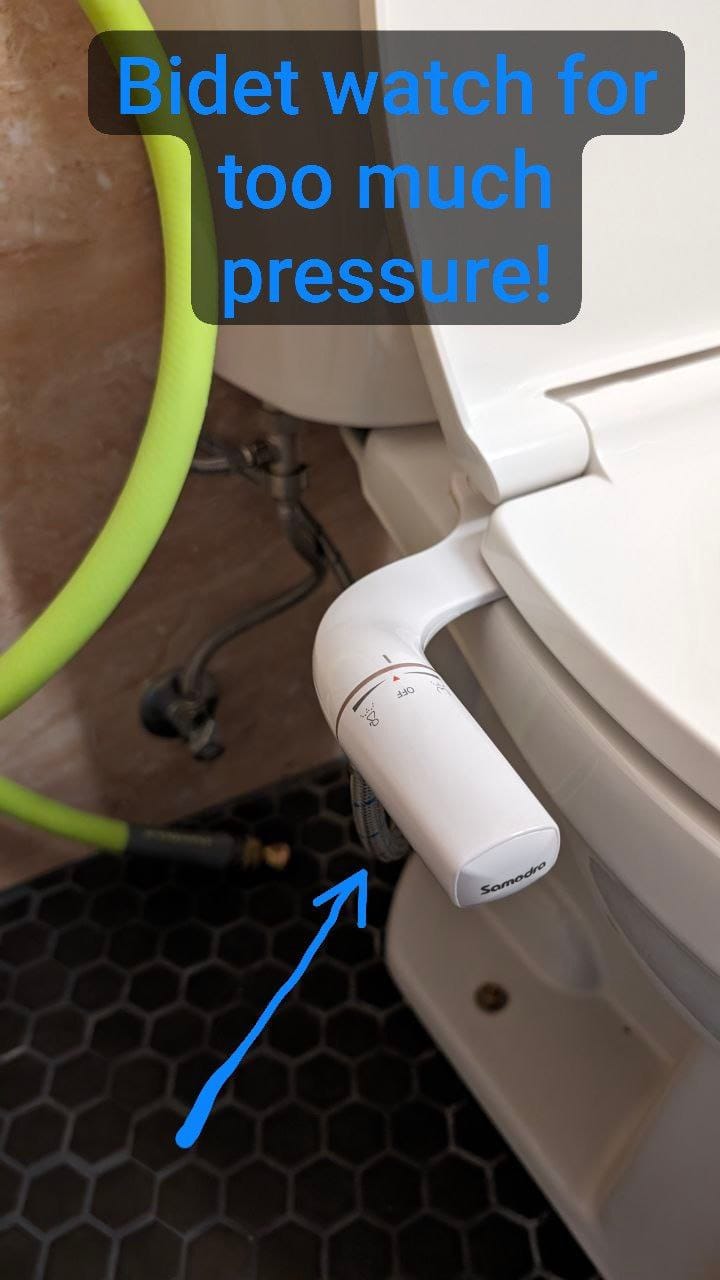
Watch pressure of Bidet!
Use both hands to open blinds

Please use both hands to open blinds and don't let go at top, as otherwise blinds may break!
To make your stay even more enjoyable, here are some sample Alexa commands you can use:
🔊 With Alexa:
Lights Control 💡
- Turn on/off:
- 🗣️ "Turn on lights"
- 🗣️ "Turn off lights"
- Dim Lights:
- 🗣️ "Set lights to 10%" (or any percentage you prefer)
- Change Color:
- 🗣️ "Set lights to green" (or any other color)
Specific Areas 🛁🌀
- Bath:
- 🗣️ "Turn on bath"
- 🗣️ "Turn off bath"
- Fan:
- 🗣️ "Turn on fan"
- 🗣️ "Turn off fan"
- Dining Area:
- 🗣️ "Turn on dining"
- 🗣️ "Set dining to turquoise" (or any other color)
- Kitchen:
Dimmers 🎨
- To have only colored lights on, you can say:
If you have any other questions or concerns, please let me know
Important Notice About Sand Removal 🏖️❗
We kindly request that when you go to the beach, and especially when you return, you take all the sand off before even walking upstairs.
This is super important to avoid complaints from other residents and to keep the hallways and your studio sand-free.
Thank you for your cooperation! 🌟